SIM Swapping Abroad: The Invisible Digital Heist
You are enjoying a sunset dinner in Rome, periodically checking your phone to share photos with friends back home. Suddenly, you notice your phone ...
SIM Swapping Abroad: The Invisible Digital Heist
You are enjoying a sunset dinner in Rome, periodically checking your phone to share photos with friends back home. Suddenly, you notice your phone says "No Service." You assume it's just a dead zone in the ancient city and think nothing of it. Meanwhile, halfway across the world, a cybercriminal has just taken total control of your phone number. Over the next few hours, they will use your hijacked number to bypass the security on your bank accounts, email, and social media, draining your funds while you remain blissfully unaware and completely disconnected.
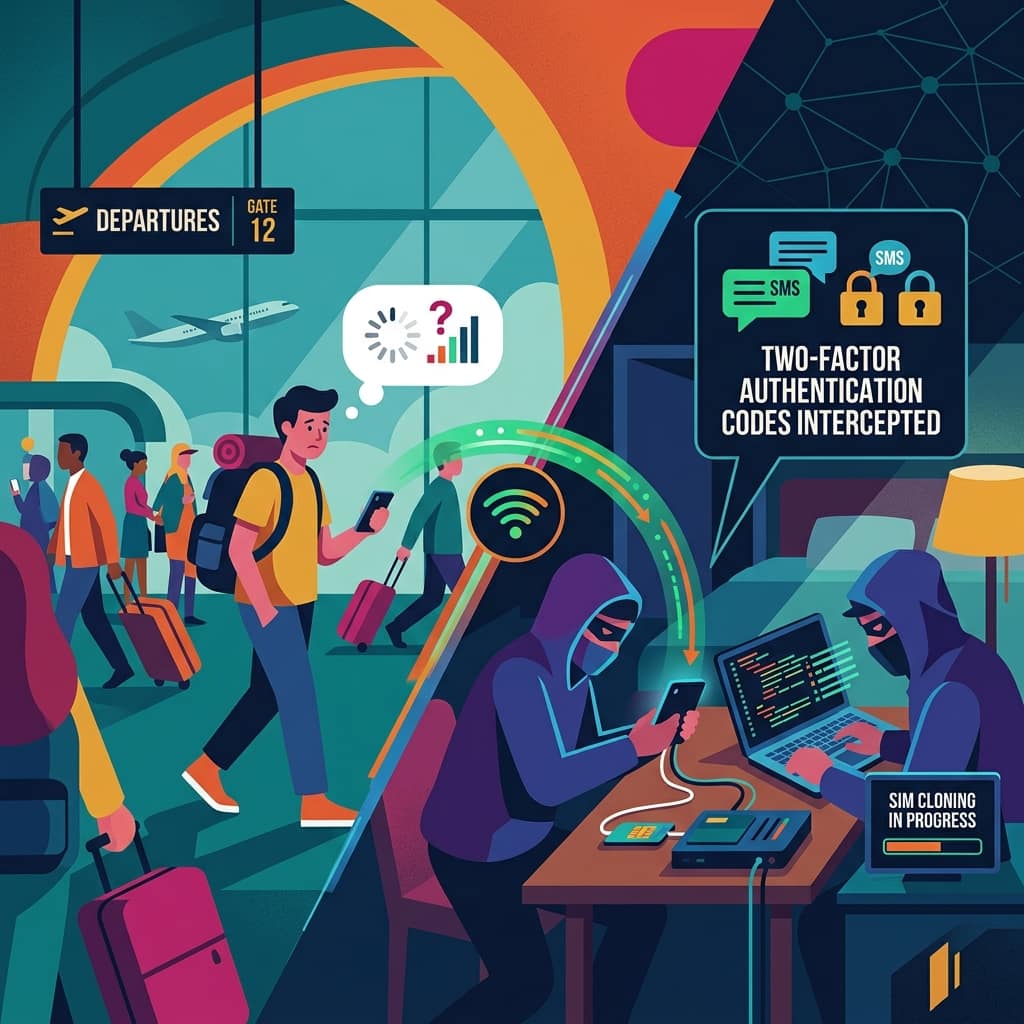
This nightmare scenario is known as SIM swapping (or SIM hijacking). While it can happen to anyone, tourists traveling abroad are uniquely vulnerable. Because travelers expect spotty cell service and are often disconnected from their home networks, the vital warning signs of a SIM swap are easily dismissed. Here is everything you need to know about this invisible heist and how to bulletproof your digital life before you board your flight.
What is SIM Swapping?
Your SIM (Subscriber Identity Module) card is the tiny chip that connects your phone to your mobile carrier's network and ties your specific phone number to your physical device.
In a SIM swap scam, a cybercriminal convinces your mobile carrier to transfer your phone number away from your physical SIM card and onto a new SIM card that the criminal possesses. Once the transfer is complete, your phone instantly loses service. The criminal's phone, however, now receives all of your text messages and phone calls.
The Attack Vector: Social Engineering
Hackers don't need sophisticated software to steal your phone number; they just need to be good liars. They gather your personal information (name, address, date of birth, and perhaps the last four digits of your Social Security number) from data breaches available on the dark web.
They then call your mobile carrier's customer service, pretending to be you. They claim they have lost their phone or bought a new one and need the number transferred to a new SIM card. If the customer service representative is tricked or fails to follow strict security protocols, the swap is approved.
Fascinating Fact: In some highly organized crime rings, scammers actually bribe low-level employees at mobile carrier retail stores to process SIM swaps instantly, bypassing the need for social engineering over the phone entirely.
Why Tourists Are Prime Targets
SIM swapping is devastating for anyone, but tourists face a much higher risk for a few critical reasons:
Ignored Warning Signs
The primary symptom of a SIM swap is your phone losing all cellular service. When you are sitting in your living room, this is a massive red flag. But when you are traveling in a foreign country, navigating mountains, subways, or areas with poor roaming agreements, "No Service" is a completely normal occurrence. Travelers often wait days before realizing their phone has actually been compromised.
The Time Zone Advantage
Scammers often execute SIM swaps in the middle of the night in your home country, when you are awake on a different continent but your bank's fraud department might be slower to respond, and you have no way to easily walk into your carrier's local retail store to fix the issue.
The Two-Factor Authentication (2FA) Trap
The real goal of a SIM swap is to defeat SMS-based Two-Factor Authentication. Many banks require you to enter a code texted to your phone to log in from a new device or wire money. With your phone number hijacked, the scammer initiates a password reset on your bank account, receives the SMS code on their phone, and easily changes your password, locking you out and gaining total access to your money.
Important: Text messages (SMS) are one of the least secure forms of Two-Factor Authentication. Because SMS codes can be intercepted via a SIM swap, cybersecurity experts strongly advise against using them for critical financial accounts.
How to Protect Yourself Before You Travel
The time to protect yourself from a SIM swap is before you leave on your trip. Once your number is stolen while you are abroad, retrieving it can be a logistical nightmare.
1. Set Up a Carrier PIN
Contact your mobile carrier (AT&T, Verizon, T-Mobile, Vodafone, etc.) immediately and request a "Port Freeze" or a secondary security PIN to be added to your account. This means that no changes can be made to your account—including porting your number to a new SIM card—without providing this secret, multi-digit PIN. Do not make this PIN your birth year or the last four digits of your phone number.
2. Ditch SMS for 2FA
Go through your most critical accounts (banking, primary email, cryptocurrency wallets) and change your Two-Factor Authentication settings. Remove your phone number as an option. Instead, use an Authenticator App (like Google Authenticator, Authy, or Microsoft Authenticator) or a physical security key (like a YubiKey). Authenticator apps generate codes locally on your physical device, making them completely immune to SIM swapping.
3. Limit Your Digital Footprint
Scammers need your personal information to trick customer service reps. Be careful about what you share publicly on social media. Do not post your full date of birth, home address, or phone number on public profiles.
4. Watch for Pre-Attack Phishing
Often, a SIM swap is preceded by a phishing attempt. If you receive an email or text claiming to be from your carrier asking you to "verify your account details," do not click it. The scammers are likely trying to gather the last pieces of information they need to execute the swap.
What to Do If You Lose Service Abroad
If your phone unexpectedly says "No Service" while you are traveling, and restarting it doesn't fix the issue, do not assume it's just a bad signal.
- Connect to Wi-Fi: Immediately find a secure Wi-Fi connection.
- Check Your Email: If a SIM swap occurred, you will usually receive an automated email from your carrier stating that your number has been transferred or your SIM card has been updated.
- Check Your Bank: Try to log into your primary bank account via Wi-Fi. If your password has been changed, you are actively being hacked.
- Call Your Carrier Immediately: Use Skype, WhatsApp, or a hotel phone to call your mobile carrier's international fraud department immediately. Inform them you have been SIM swapped and demand they lock the account and reverse the port.
- Freeze Your Finances: Call your bank and credit card companies to freeze your accounts until you regain control of your number.
Conclusion
SIM swapping is a chilling reminder of how fragile our digital security can be when it relies heavily on a simple phone number. For travelers, the vulnerability is magnified by distance and reliance on roaming networks. By taking proactive steps—such as establishing a carrier PIN and transitioning to authenticator apps—you can build an invisible fortress around your digital identity, ensuring your vacation memories are the only things you bring back home.
Frequently Asked Questions (FAQs)
Q: Can a scammer SIM swap me if I am using an eSIM? A: Yes. The vulnerability lies with the mobile carrier's customer service and security protocols, not the physical nature of the SIM card. A scammer can just as easily have your number ported to a new eSIM on their device.
Q: Does using a local travel SIM card protect me? A: It protects your local travel number, but your primary home phone number (which is linked to your banks) is still vulnerable to being swapped while you are away. This is why a Carrier PIN on your home account is essential.
Q: If I get SIM swapped, can the hacker see my old text messages? A: Generally, no. A SIM swap only routes new text messages and calls to the hacker's phone. They cannot see your past iMessages, WhatsApp chats, or previously received SMS texts.
Q: How long does it take to get my number back? A: It varies by carrier. If caught quickly, it can be reversed in a few hours. However, if you are abroad and struggle to verify your identity over the phone, it can take days of frustrating communication to regain control of your number.
Get more practical guides like this
Follow the RSS feed or send Sahi.info to your WhatsApp circle so the practical guides keep moving.