Fake E-Visa Websites: The High Cost of the Wrong Click
Planning an international trip requires managing a mountain of logistics, and securing the proper visa is often the most stressful part. To streaml...
Fake E-Visa Websites: The High Cost of the Wrong Click
Planning an international trip requires managing a mountain of logistics, and securing the proper visa is often the most stressful part. To streamline the process, many countries have introduced electronic visas (e-visas), allowing tourists to apply and pay online. Unfortunately, cybercriminals and unethical third-party operators have flooded search engines with fake and highly deceptive e-visa websites, turning a simple administrative task into a costly nightmare.
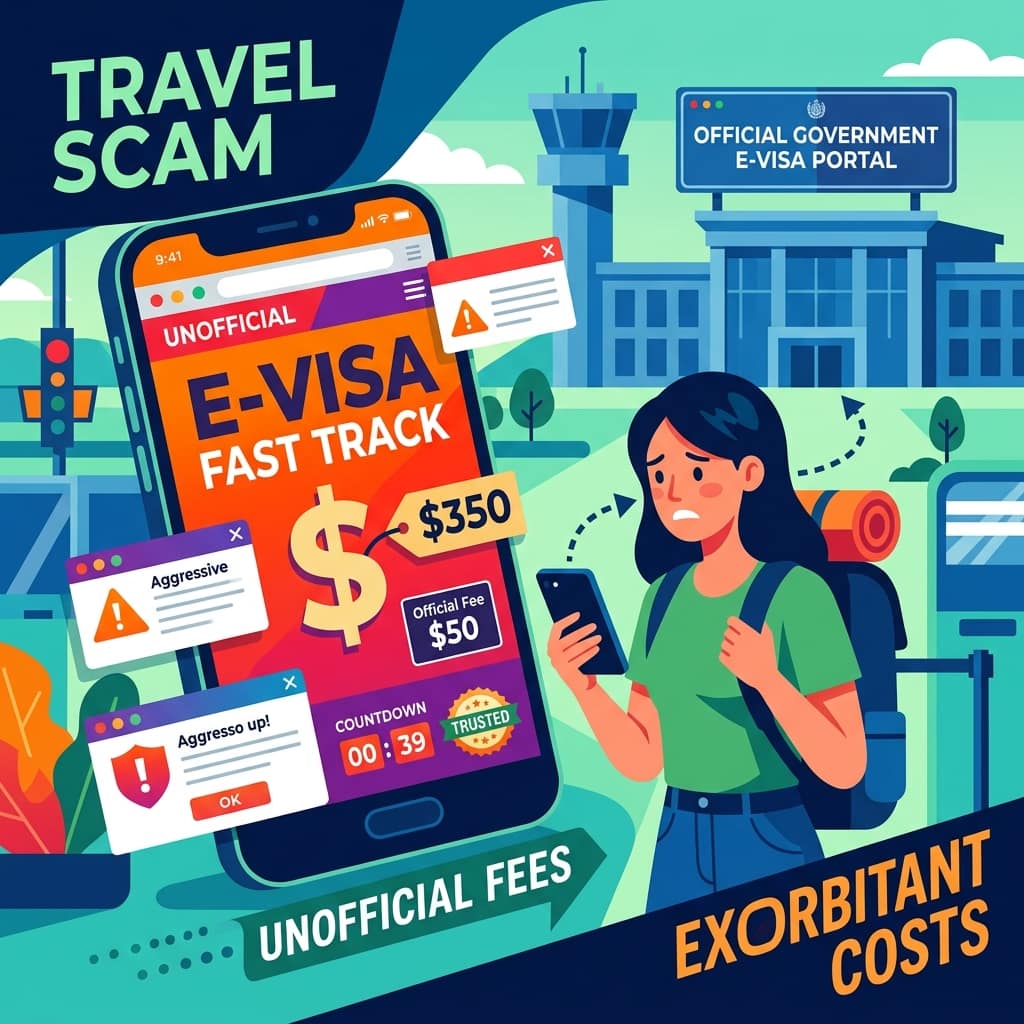
These fraudulent sites mimic official government portals, charging exorbitant, hidden "service fees" on top of the standard visa cost—and in the worst cases, stealing your identity and delivering no visa at all. Understanding how to identify the official government website and spot a scam is crucial for any international traveler.
The Spectrum of E-Visa Scams
E-visa scams generally fall into two distinct categories: unauthorized third-party processors and outright identity theft portals. Both are dangerous, but they operate differently.
1. The Unauthorized Third-Party Processor (The Overchargers)
This is the most common iteration of the e-visa trap. These websites operate in a legal gray area. They are not the official government site, but they offer to "process" your application for you. They build websites that look incredibly official, complete with national flags and crests.
If a government charges $35 for an e-visa, these third-party sites will silently tack on a $100 to $200 "processing fee" or "service charge" at the very end of the checkout process. While they technically do secure the visa for you, they do absolutely nothing you couldn't do yourself on the official site for a fraction of the cost.
2. The Phishing and Identity Theft Portal
The more malicious version involves websites entirely run by cybercriminals. These sites have zero intention of securing a visa for you. They exist solely to harvest your most sensitive data.
To apply for a visa, you must provide a treasure trove of personal information: your full name, date of birth, passport number, expiration date, home address, and often a photo of the passport itself. By submitting this to a fake site, you are handing identity thieves everything they need to open credit accounts in your name or create forged travel documents. Furthermore, they will charge your credit card for the fake visa and disappear.
Pro Tip: E-visas for most countries usually cost between $20 and $80 USD. If a website is asking for upwards of $150 or $200 for a standard tourist e-visa, stop immediately. You are almost certainly on a third-party or scam site.
How They Trick You
You might wonder how so many smart travelers fall for this. The answer lies in Search Engine Optimization (SEO) and deceptive web design.
Dominating Search Results
When you Google "Vietnam e-visa" or "Turkey e-visa," the top results are almost always sponsored ads. Scammers and unethical third-party processors pay top dollar to Google and Bing to ensure their fake sites appear above the actual government websites in the search results. Because people trust the top Google results, they click the ad without a second thought.
Mimicking Official Authority
These sites are designed to look like government portals. They use official-sounding domain names (like www.turkey-evisa-gov-portal.com), prominently feature national flags, and use authoritative language.
Important: Government websites almost exclusively use specific top-level domains. For example, official UK sites use ".gov.uk", Australian sites use ".gov.au", and US sites use ".gov". If the website ends in ".com", ".org", or ".net", it is highly unlikely to be the official government portal.
The Consequences of Falling Victim
The fallout from using a fake e-visa site can ruin your trip before it even begins.
Denied Boarding or Entry
If you use a malicious phishing site, you will never receive a valid visa. You might receive a fake PDF document that looks like a visa, but when the airline agent or immigration officer scans it at the airport, it will flag as invalid. You will be denied boarding or deported upon arrival, losing the entire cost of your vacation.
Financial and Identity Loss
Beyond the inflated fees, handing over your passport details and credit card information exposes you to severe identity theft and credit card fraud that can take months to resolve.
How to Find the Official E-Visa Website
Navigating the minefield of search engine results requires a specific approach. Here is how to ensure you are always using the legitimate government portal.
1. Skip the Ads
When searching for a country's e-visa portal, completely ignore the first few results on Google if they have the word "Sponsored" or "Ad" next to them. Governments rarely pay for search engine advertisements to promote their visa portals; third-party processors do.
2. Check Your Own Government's Travel Advisories
The safest way to find the correct link is to go to your home country's official foreign affairs website (e.g., the U.S. Department of State's travel.state.gov, or the UK's Foreign, Commonwealth & Development Office). Look up your destination country on their site. They will almost always provide the direct, verified link to that country's official e-visa portal.
3. Analyze the URL
Look closely at the web address. Is it a true government domain (.gov, .govt, etc.)? Does the domain match the country? Be wary of hyphens and extra words crammed into the URL to make it look official.
4. Look for the Disclaimers
By law in many jurisdictions, third-party processing sites must state that they are not affiliated with the government. However, they usually hide this in tiny, light-gray text at the very bottom of the page in the footer. Scroll all the way down and read the fine print. If it says "independent agency" or "not affiliated with the government," leave the site.
Fascinating Fact: Some countries, noticing the rampant abuse of e-visa scams, have begun adding prominent red banners to their official sites warning travelers not to use any other URL, yet thousands still fall for the sponsored ads daily.
Conclusion
The convenience of the e-visa system has inadvertently created a highly profitable industry for scammers and deceptive middlemen. By taking a few extra minutes to verify the web address, avoiding sponsored search results, and using your own government's travel advisory pages as a directory, you can ensure you pay the correct fee and keep your passport details secure. Don't let a deceptive website be the first bump in your international journey.
Frequently Asked Questions (FAQs)
Q: I used a third-party site and paid $150, but I did get my valid visa. Can I get a refund for the extra fees? A: It is very difficult. Because you technically agreed to their "service fee" (usually buried in the Terms and Conditions), your credit card company may not approve a fraud dispute. You can try to request a refund from the site, but they rarely comply.
Q: Do I ever need to use a third-party visa service? A: For standard tourist e-visas, no. The official government portals are designed to be used directly by travelers. However, for complex, long-term work visas or countries that do not offer e-visas and require physical passport mail-ins, a legitimate, registered visa expediting service can be helpful.
Q: I realized I submitted my passport to a fake phishing site. What do I do? A: Immediately contact your credit card company to cancel the payment card used. Then, contact your government's passport agency to report your passport as compromised, which may require you to apply for a new one to prevent identity theft.
Q: Why doesn't Google ban these fake sites? A: Google does ban outright phishing sites when they are reported. However, the third-party processors that actually deliver the visa (but overcharge massively) operate in a legal gray area. Because they provide a "service," they are often allowed to buy ads, provided they include a small disclaimer on their site.
Get more practical guides like this
Follow the RSS feed or send Sahi.info to your WhatsApp circle so the practical guides keep moving.